6. Data Ingestion
Load date_dim using COPY command
The COPY command is the most performant way to ingest data into a table. By default, the COPY command will examine compression settings of any empty table for optimal settings. We have disabled that analysis in this command via the ‘COMPUDATE OFF’ parameter, because used default encoding for each column. Skipping the encoding analysis will help speed up the COPY operation. The COPY command by default has ‘STATUPDATE ON’, which analyzes the table.
Run the following COPY command.
Replace <RedshiftClusterRoleArn> with the value you captured from AWS CloudFormation stack output.
COPY public.date_dim
FROM 's3://redshift-downloads/TPC-DS/3TB/date_dim/'
iam_role '<RedshiftClusterRoleArn>'
GZIP DELIMITER '|'  COMPUPDATE OFF EMPTYASNULL REGION 'us-east-1';
COMPUPDATE is OFF as the columns are created with default encoding.
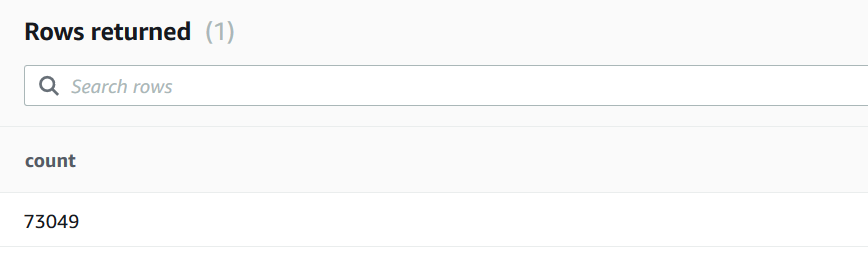
On successful completion of the COPY command, validate the record count in the date_dim table. Run the following SQL.
Select count(*) from public.date_dim;
You will see the following record count in the output
Load customer_address and customer tables using copy command
COPY public.customer_address
FROM 's3://redshift-downloads/TPC-DS/3TB/customer_address/'
iam_role '<RedshiftClusterRoleArn>'
GZIP DELIMITER '|'  COMPUPDATE OFF EMPTYASNULL REGION 'us-east-1';
On successful completion of the COPY command, validate the record count in the customer_address table. Run the following SQL.
Select count(*) from public.customer_address;
You will see the following record count in the output - 15000000
Now, load the customer table
COPY public.customer
FROM 's3://redshift-downloads/TPC-DS/3TB/customer/'
iam_role '<RedshiftClusterRoleArn>'
GZIP DELIMITER '|'  COMPUPDATE OFF EMPTYASNULL REGION 'us-east-1';
On successful completion of the COPY command, validate the record count in the customer table. Run the following SQL.
Select count(*) from public.customer;
You will see the following record count in the output - 30000000
Load product_reviews using Amazon Redshift Spectrum
To load data into product_preview, we will leverage Amazon Redshift Spectrum.
Run the following statement.
insert into public.product_reviews
  select
   marketplace ,
   CAST(customer_id AS bigint) customer_id,
   review_id ,
   product_id ,
   CAST(product_parent AS bigint) product_parent,
   product_title ,
   star_rating ,
   helpful_votes ,
   total_votes ,
   vine ,
   verified_purchASe ,
   review_headline ,
   review_body ,
   review_date ,
   year ,
   product_category
 from demo.parquet
 where product_category in ('Home', 'Grocery')  ;
The predicate (product_category in (‘Home’, ‘Grocery’)) is pushed down to Amazon Redshift Spectrum to filter the data before inserting into public.product_reviews table.
Run the following analyze statement to collect statistics on the table.
Analyze public.product_reviews;
Validate the record count in the product_reviews table.
Run the following SQL.
Select count(*) from public.product_reviews;
You will see the following record count.
